
Every AI commercial we ship, from a Shaq spot with no camera to AI dogs selling a $49.9M listing, runs through the same pipeline. Most of it lives in Higgsfield. And almost none of it is typing a prompt and hoping.
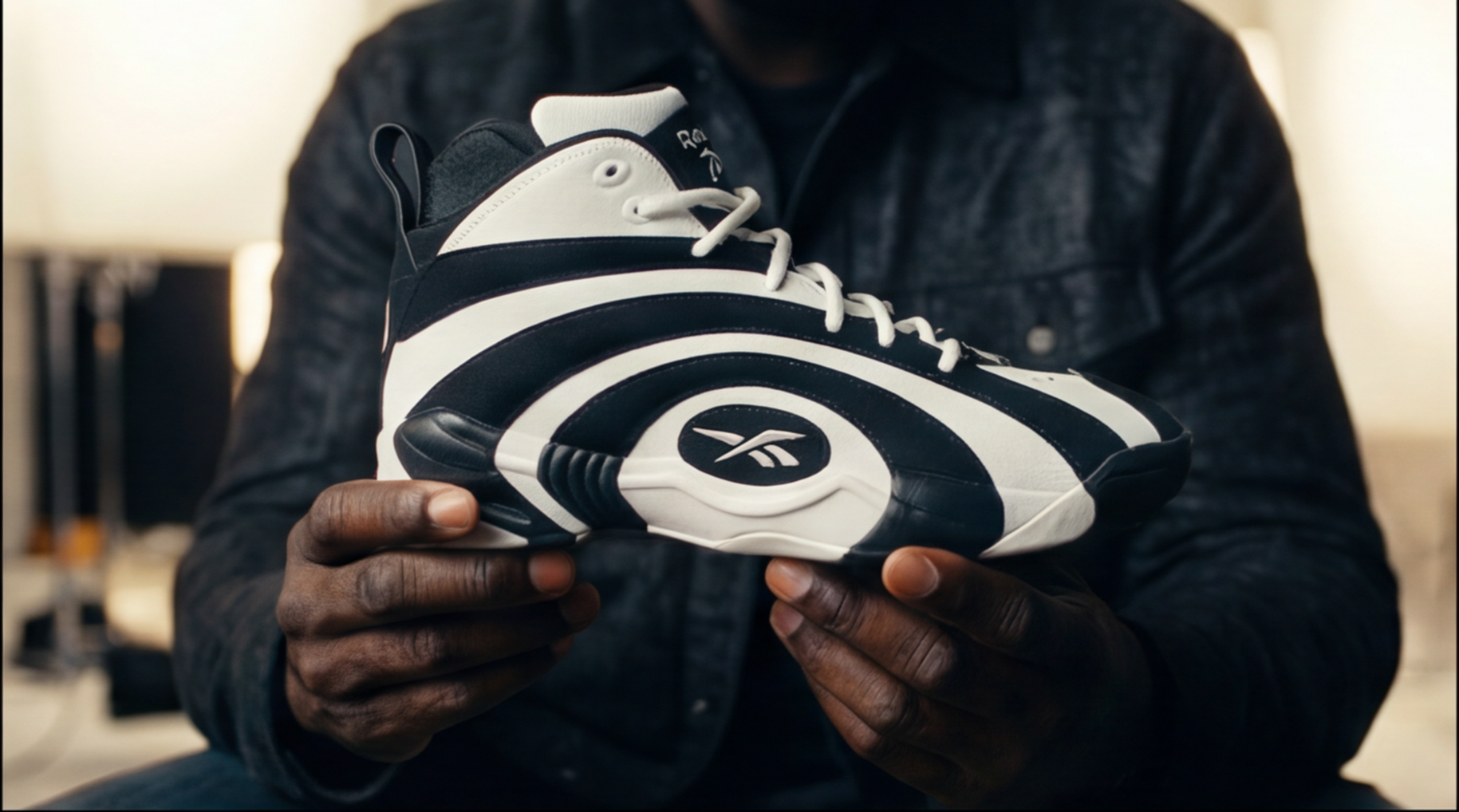
A product close-up from the Shaqnosis production. Every image in this post is a real artifact from real No ID jobs.
This is the actual internal workflow our team trains on, the same document we hand new producers on day one. If you make AI content, steal it. If you hire agencies, this is the standard you should hold them to.
The Rule: Do Not Generate Video. Build the World.
The single biggest mistake in AI video is trying to make a full scene from one vague prompt. "Make a cinematic ad for a sneaker" gives you a slot machine. The correct order is the opposite: build every piece of the world first, then let the model move inside it.
Our production order, every time:
- Script and scene goal
- Character lock
- Wardrobe lock
- Location lock
- Prop lock
- Hero frame
- Camera plan
- Motion prompt
- Video generation
- Review and iterate
Video generation is step nine. If you are generating video before step nine, you are gambling, not directing.
Lock the Character First
Character locking means the same person stays visually consistent across every image and shot. Face, hair, body type, age, wardrobe: none of it drifts. There are three ways to do it, and we pick based on the job:
- Cast feature for fictional characters built from scratch: a permanent character asset with front, side and back views.
- Soul ID when the character is a real person: a persistent digital identity trained from 20-plus clear, well-lit photos. This is the only option when the face must stay recognizable, which is every celebrity or founder job.
- Reference sheet when we need speed: one face close-up, full-body front, full-body back, one outfit, one neutral background.
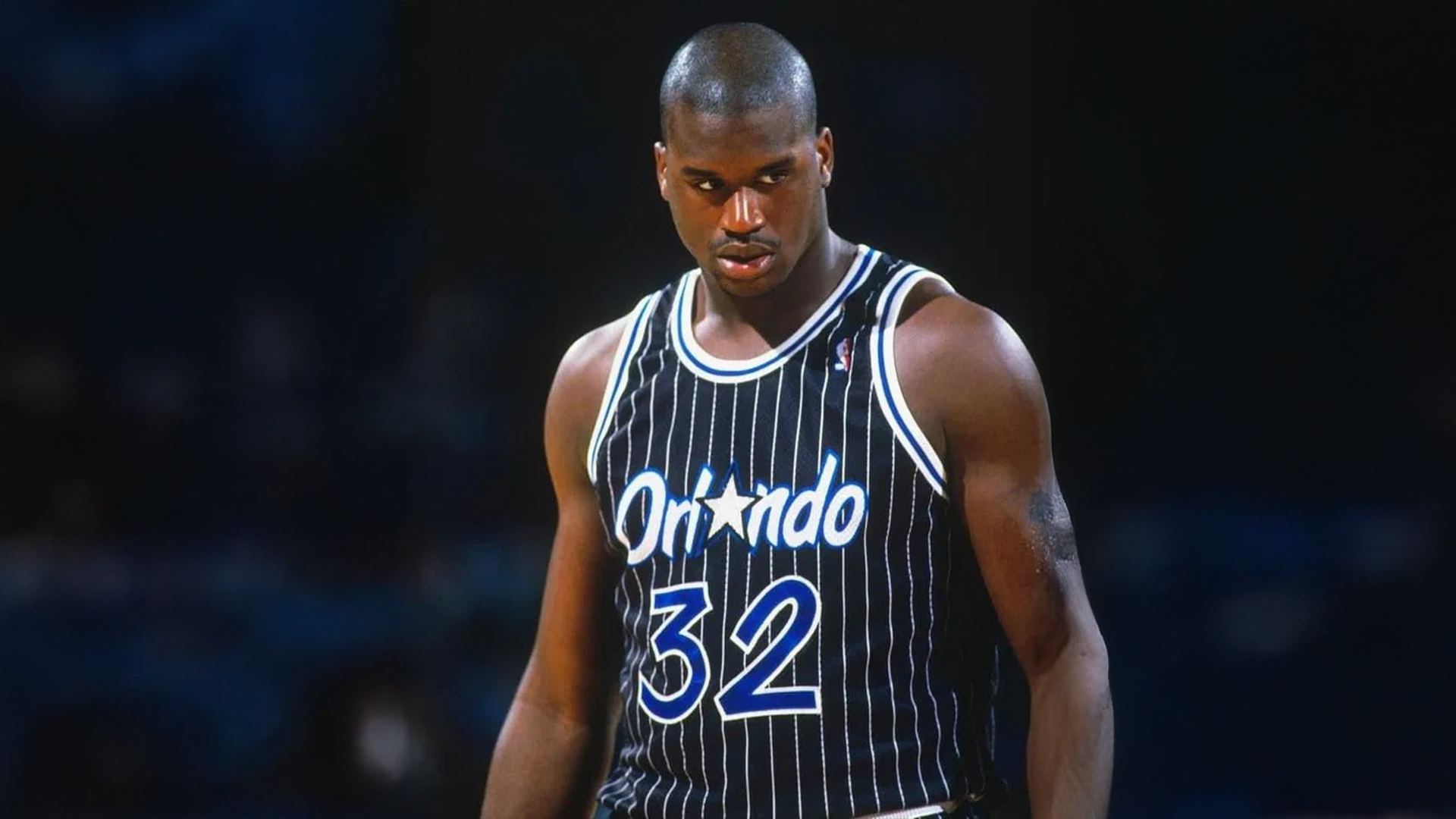
For the Shaq commercial, the lock started with real reference: era-correct photography of the actual person.
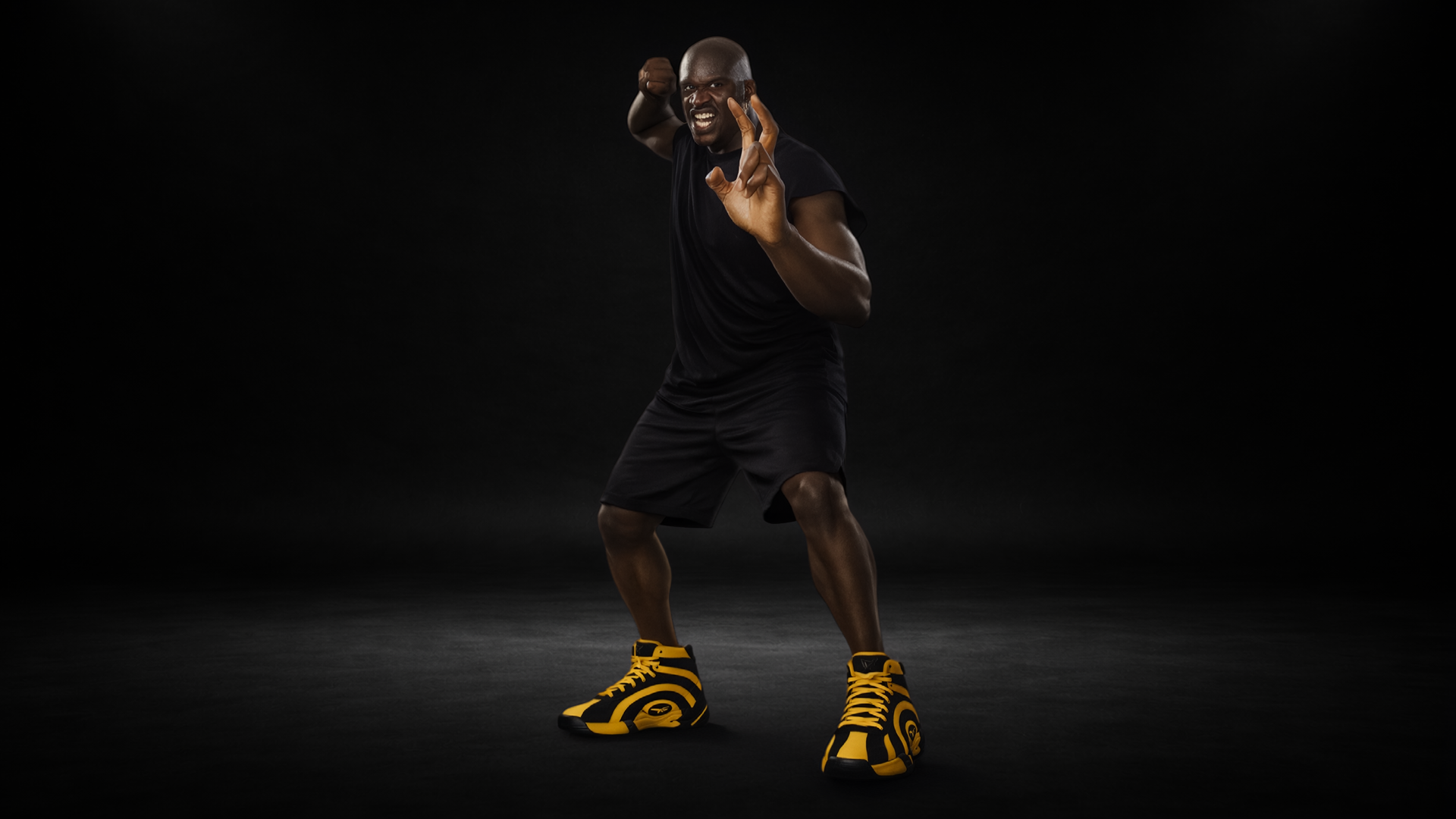
The full-body lock. Every generated frame traces back to this sheet.
One rule that saves entire productions: keep one face per reference sheet. A collage of ten expressions looks thorough and quietly poisons the model, because it cannot tell which face to lock onto. One clean face. Add expression sheets later only if the model needs them.
Lock the Wardrobe, the Location and the Props
Wardrobe drift is the most common failure in AI video: the model changes a shirt color, a jacket length, a logo between shots. The fix is boring and non-negotiable: a separate locked wardrobe sheet for every major look, generated as an edit of the character sheet with the face explicitly frozen.
Locations get the same treatment. Build the room once, lock it, reference it forever. The door stays where the door was. One practical detail that matters more than it sounds: generate locations at a 3/4 angle, never flat head-on. A 3/4 angle gives the video model depth, foreground and real camera movement options. A flat shot is a wall.
Props are where commercials live or die, because the product is a prop. Lock it from every angle: front, back, sides, top, close-up detail. When a client is paying for a sneaker, the sneaker does not get to morph.

Image edits as control surfaces: this globe became the basketball in Shaq’s hand, with the hand preserved pixel for pixel.
The Hero Frame Comes First
Before any motion exists, we build the hero frame: the perfect still that defines the shot. It locks character, location, wardrobe, mood, camera angle, lighting, composition and grade in a single image. If the still is not good enough to frame, the video will not be good enough to ship.
The hero frame prompt is a stack of references, each one labeled with its job: this image is the face, this one is the wardrobe, this one is the room, this one is only for the lighting. Never upload references without telling the model what each one is for.
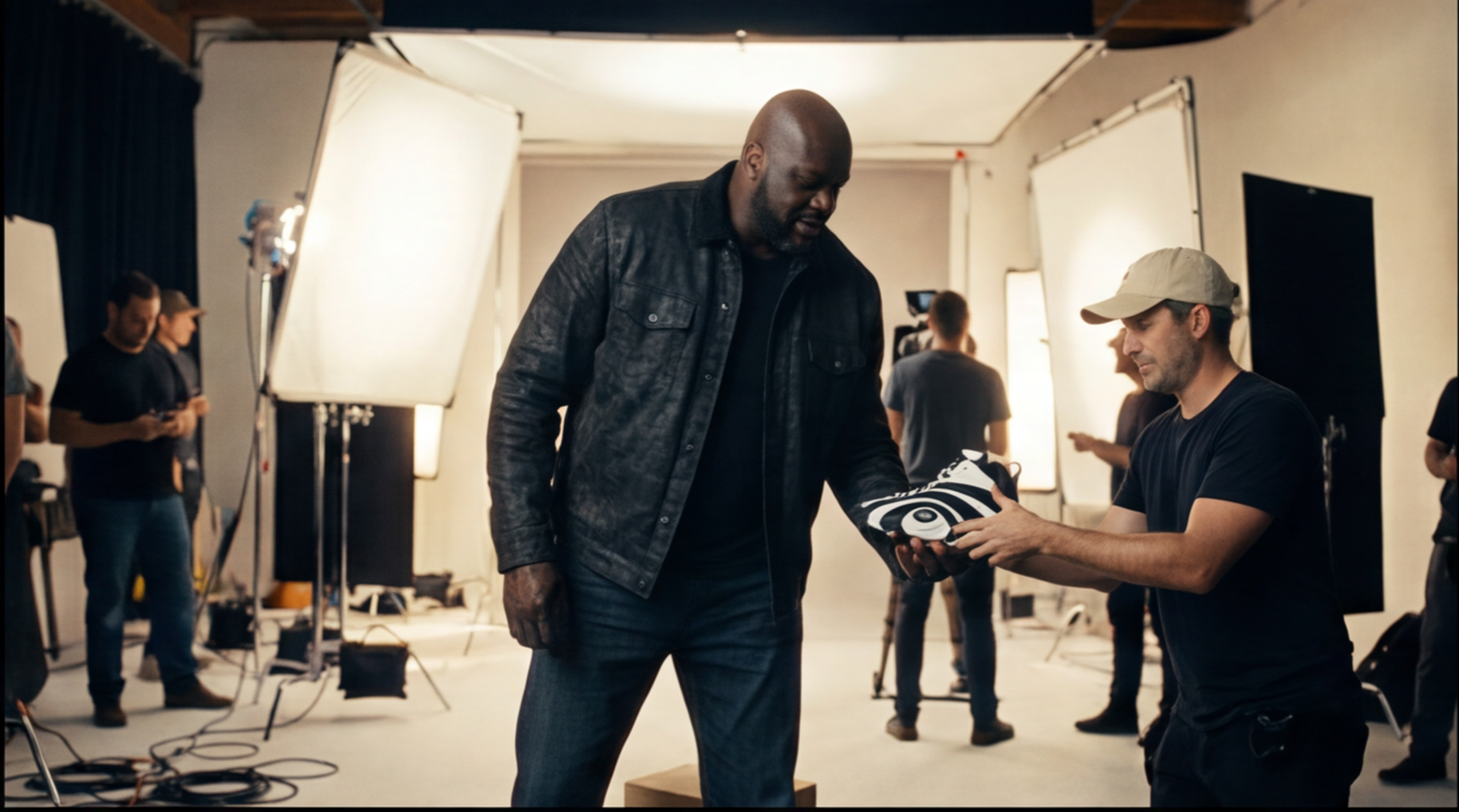
A hero frame from the Shaq production: character, wardrobe, set and light locked before a single frame of motion.
Direct Motion Like a Camera Department
Once the hero frame is locked, the motion prompt reads like a shot list, because it is one. The formula, in order: subject, action, location, camera movement, timing, emotion, lighting, continuity locks, and what not to change.
Timing is written in beats: 0 to 2 seconds he leans in, 2 to 4 he checks the window, 4 to 6 he turns back. And camera direction uses real camera language, because the models were trained on real cinema:
- Slow dolly-in for realization and intimacy
- Pull-back for isolation and reveals
- Locked-off static for comedy, dread and power
- Orbit for transformation
- Low angle for dominance, high angle for vulnerability
- 24mm for movement and immersion, 50mm for dialogue, 85mm for portraits and product emotion
"Make the camera move cool" is not a prompt. "Slow dolly-in from medium shot to tight close-up, background falling out of focus" is.
For ads and micro-drama beats, one generation can carry several cuts: up to six shots with per-shot duration, camera movement and emotion, all under one continuity instruction. When a single moment needs maximum precision, generate one shot at a time instead.
Dialogue has one hard rule: write the line exactly. If the script says the character speaks, the prompt contains the exact words in quotes, plus the performance direction and "no extra dialogue." Leave it vague and the reasoning engine improvises a script for you. You do not want that.
Start Frames, End Frames and the Precision Shots
When a shot has to begin and end in exact places, we generate the two frames separately and let the model bridge them. Character turns around. Door opens. Product reveal. Before and after.
The start frame: Shaq alone in the dark, sneakers glowing.
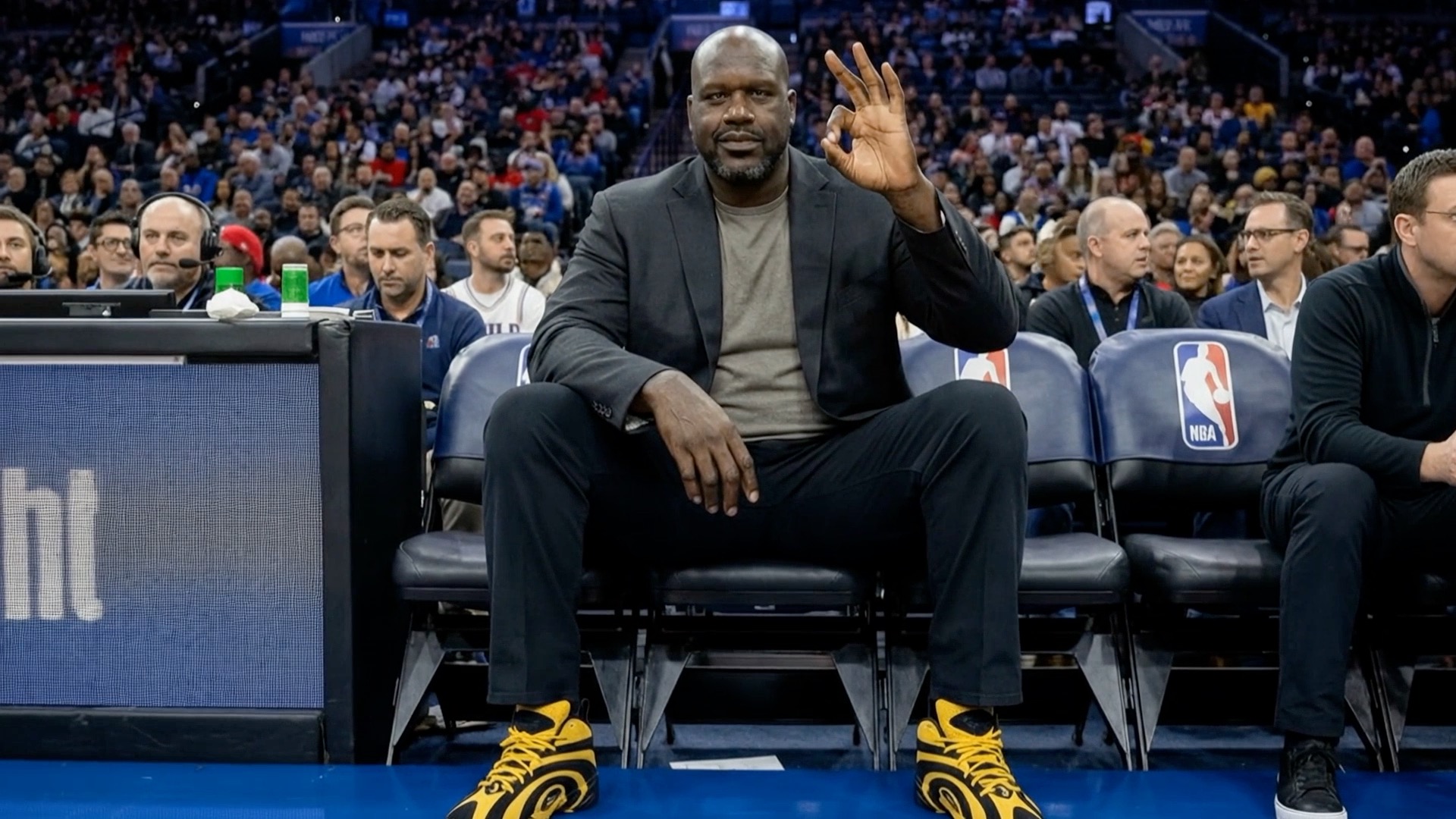
The end frame: same man, courtside, mid-game. The model generated the transition between two images we controlled completely.
This is the technique behind the Shaq Fu transition in the final spot: two locked stills, motion generated between them, zero surprises.
The Mistakes That Break AI Commercials
Every item on this list has cost someone a production:
- Prompting a whole scene in one sentence. Build the world first. Always.
- Reference sheets with multiple faces. The model locks onto the wrong one, or blends two.
- Flat head-on locations. No depth, no camera options, dead footage.
- Unlabeled references. If you do not say what an image is for, the model guesses.
- Vague camera direction. Real lens, real move, real timing, or nothing.
- Improvised dialogue. Write the line or the model writes it for you.
- Generating video at step one. It is step nine. Respect the order.
Conclusion
This playbook is why our AI work does not look like AI work. It is also teachable, which is the point: the tools are available to everyone, and the difference is discipline.
If you would rather have the discipline done for you, that is what we do. No ID is an AI content agency in Costa Mesa, Orange County, producing cinematic AI commercials for brands from Newport Beach to Los Angeles and beyond. Browse our work, read how we think about creative and design, or start a conversation.